Utilities & Civil
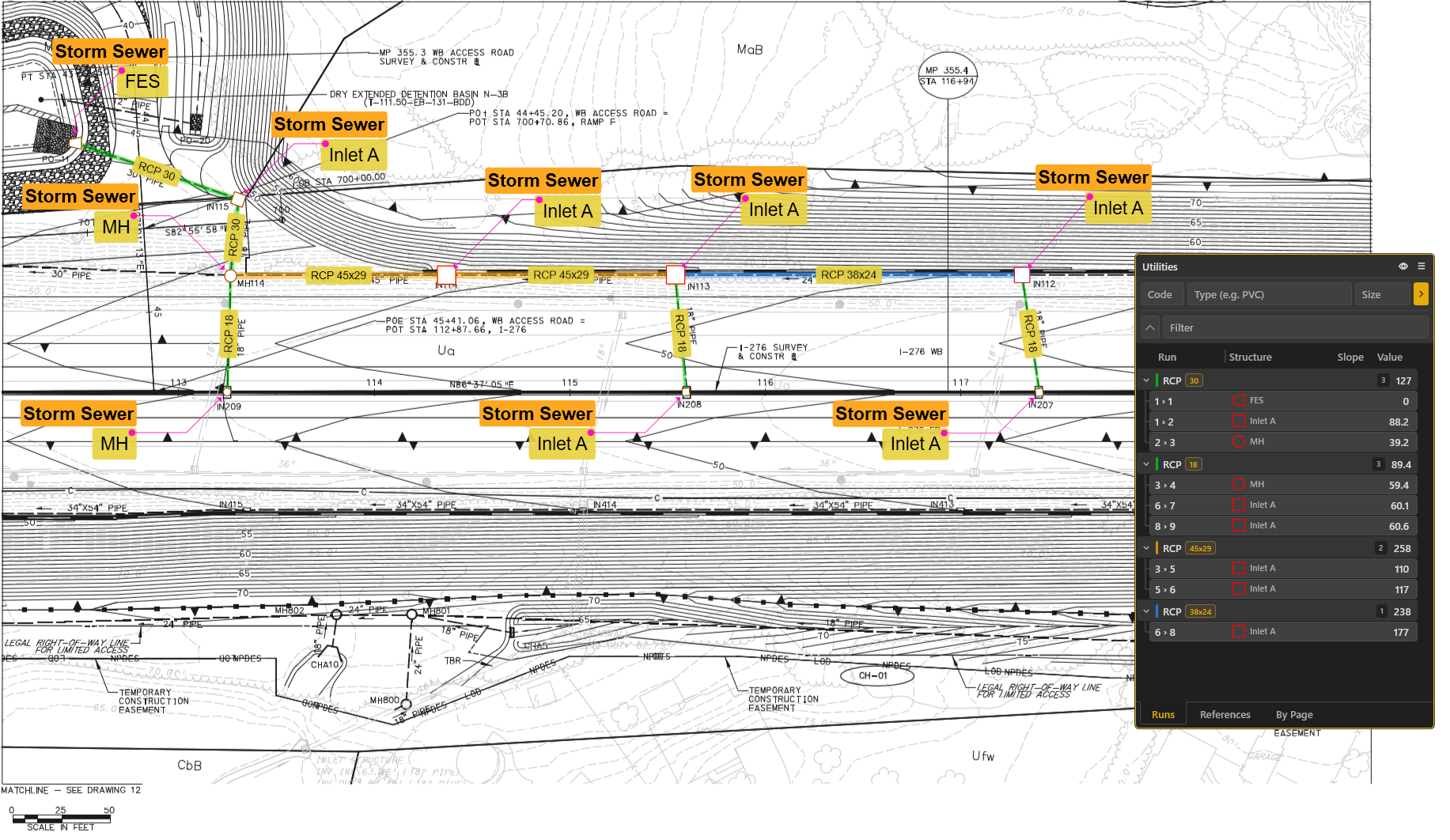
Connected pipe networks with rim/invert elevations, automatic depth and slope, trench volumes, and utility reports.
Product
Measure and mark up any plan set, with deep pipe, elevation, and trench tools when the job goes underground. Smart plan detection and Excel reporting round it out. Native on Windows.
Built for the whole plan set, with deep underground and site work tools.
Connected pipe networks with rim/invert elevations, automatic depth and slope, trench volumes, and utility reports.
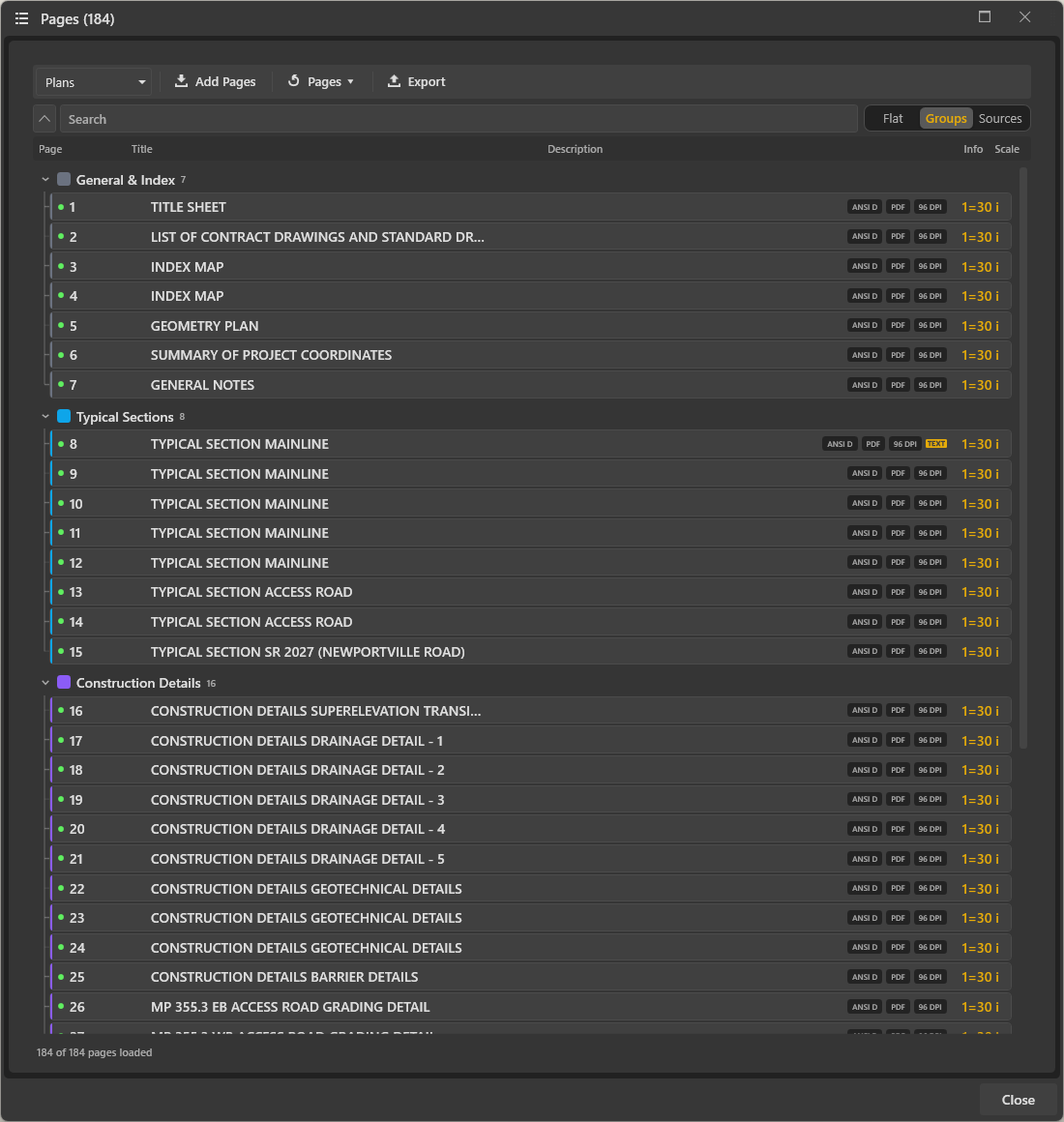
As plans import, Intuitive auto-names sheets from the title block, classifies pages, and parses the sheet index, then flags quantity and rim/invert schedule tables you can import as takeoff items or reference data in a click. Runs 100% on your machine.
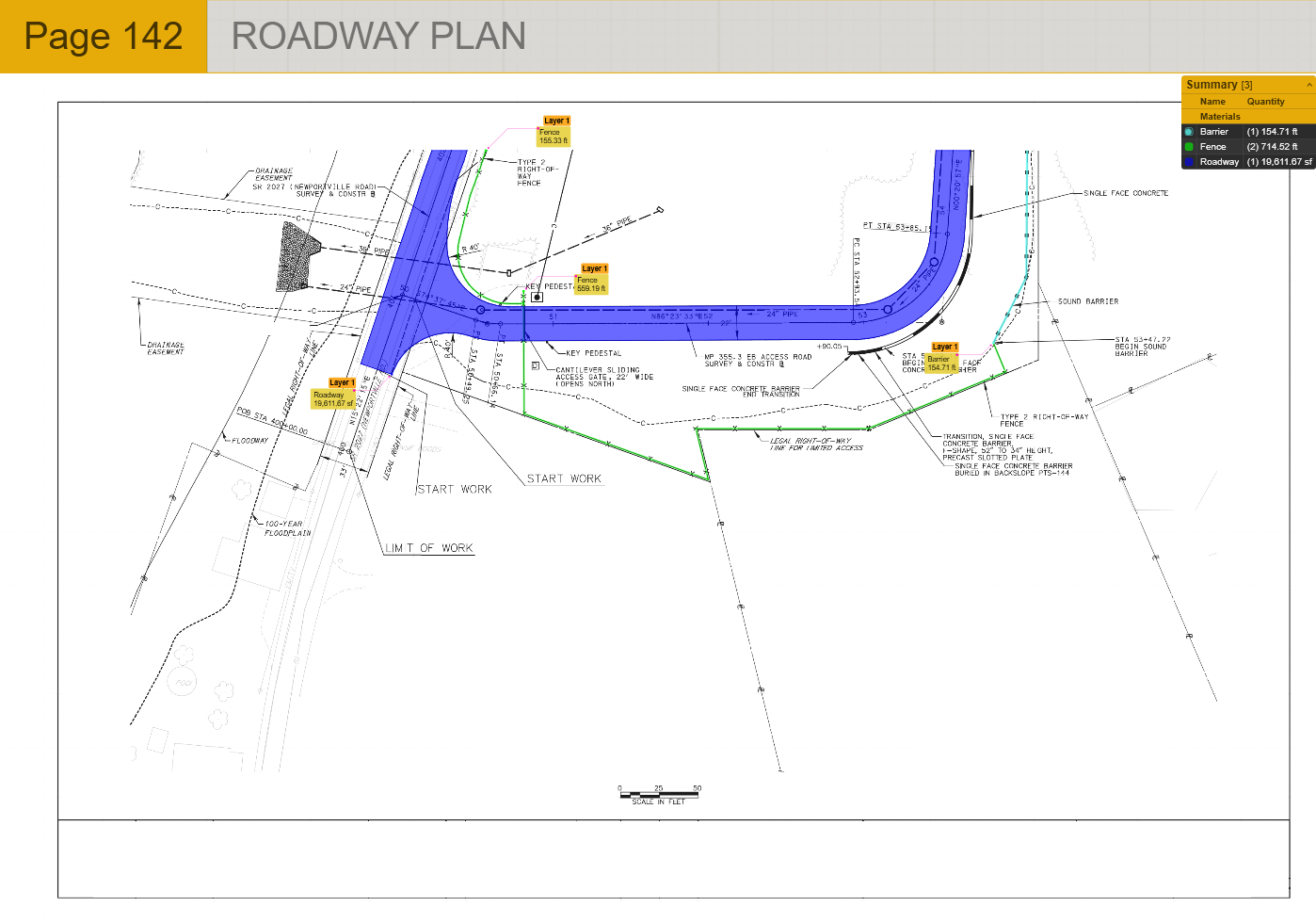
Length, area, and count takeoff on the plan, with layers, units, and saved rate sheets.
Clouds, callouts, dimensions, stamps, and signatures: 19 markup types with independent colors.
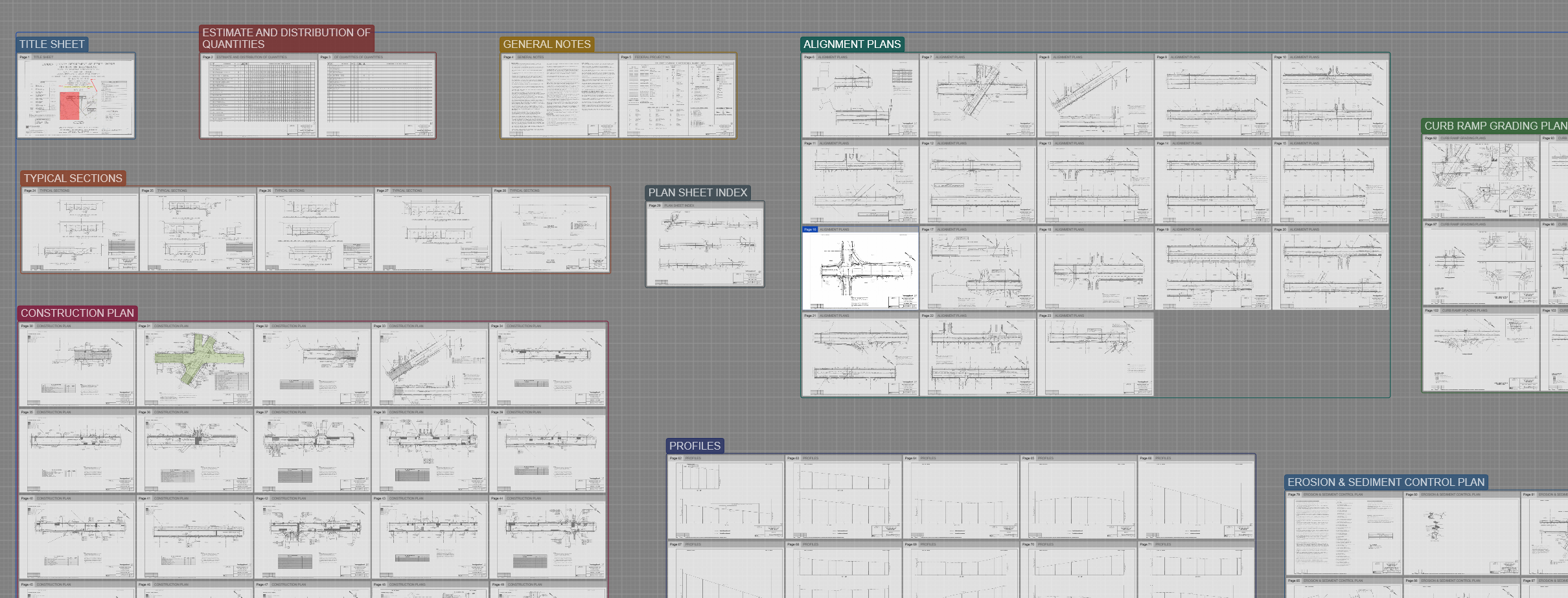
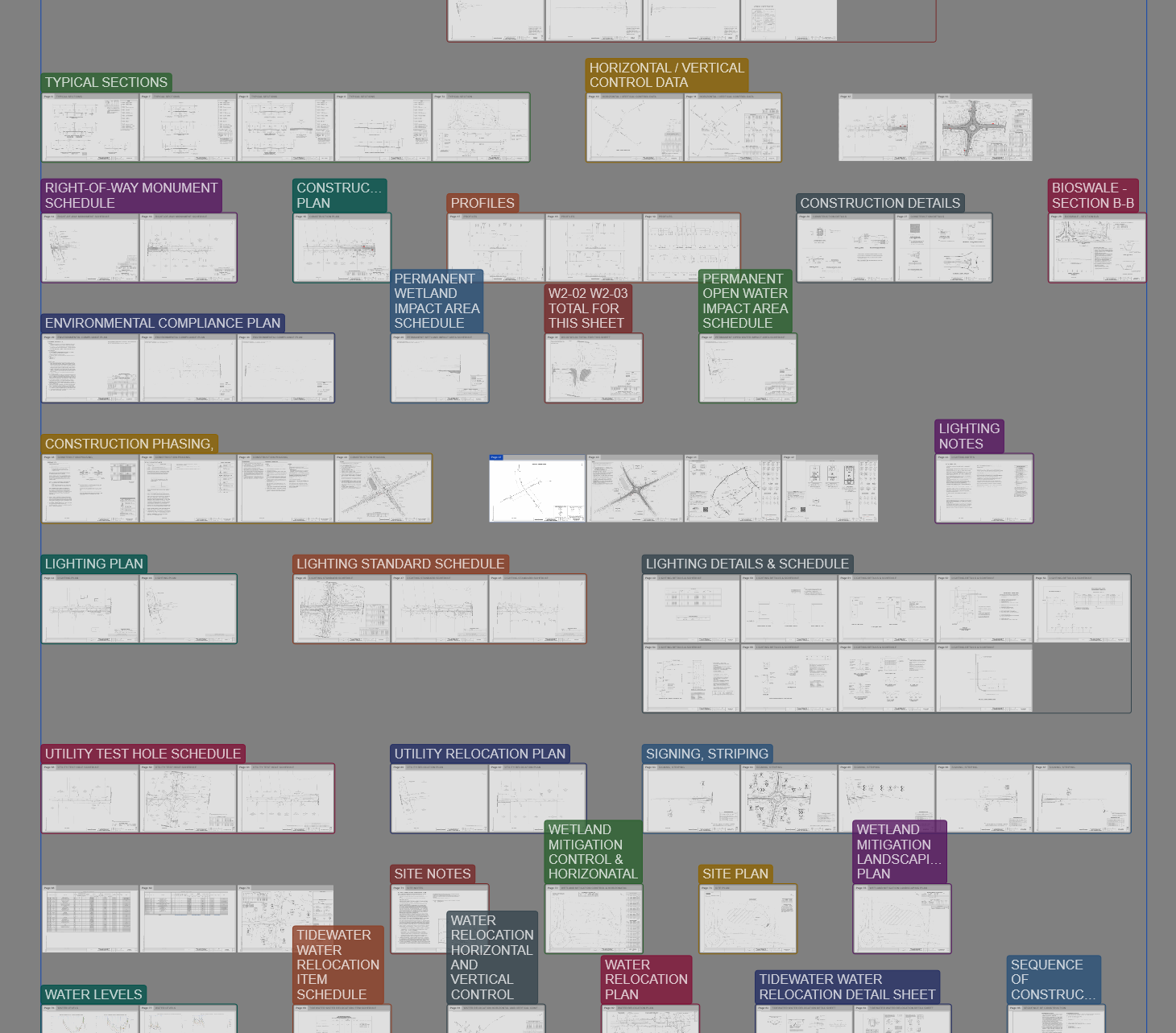
Arrange pages in a 2D workspace, group by trade, align and compare sheets, and switch between viewing modes.
Connect an AI assistant to read your plans and build takeoff items, with you in control of every edit.
Compare revisions, search plan text with OCR, export to Excel/CSV/PDF, and push to Office.
Draw connected pipe networks and Intuitive fills in rim and invert from the schedule, computes depth and slope, and quantifies the trench. Reports export straight to Excel.
Intuitive reads each sheet as it imports: titles, page types, and schedule tables you can pull in with a click. Fully local, no cloud.
Trace lengths, areas, and counts with snapping that locks onto the PDF's real linework. Price from saved rate sheets and export to Excel or CSV.
Draw freehand with pens, brushes, and markers, add geometric shapes, place revision clouds around changes, attach callouts with leader lines, insert dimensions, drop reusable stamps, and apply saved signatures. Every markup item supports independent stroke, fill, and font colors with adjustable thickness and opacity.
Spread plans across a 2D canvas like blueprints on a table. Group by trade, auto-assemble by match line, and compare revisions with overlays.
The assistant sees your project through 100+ tools. It reads sheets, builds takeoff items from schedules, and cleans up the set, and you approve every change. Advanced plan with AI access.
The tools you reach for on every job, included on every plan.
Stack revisions and blend with a scrubber: added in green, removed in magenta.
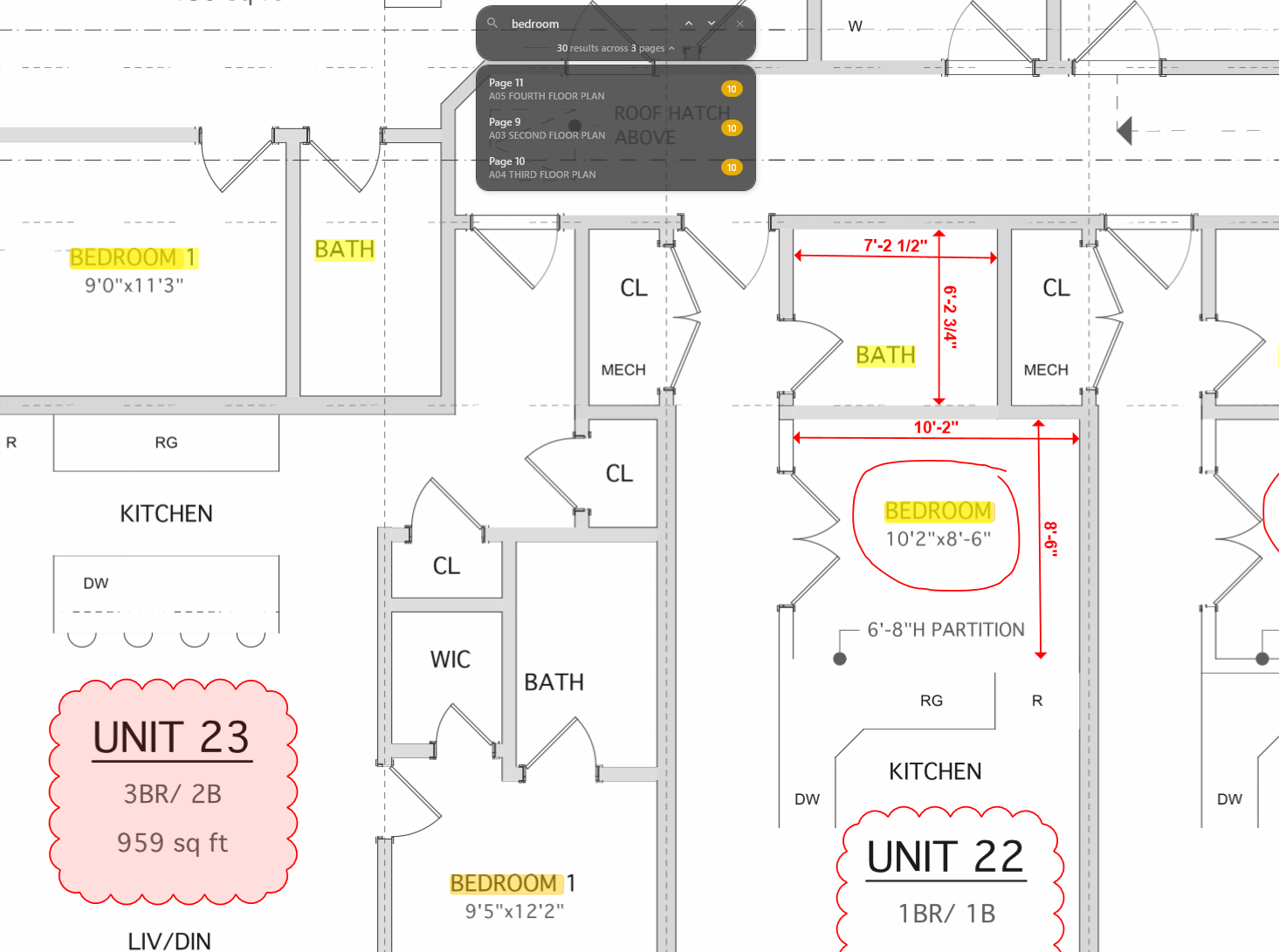
Find text across every sheet, with built-in OCR for scanned plans.
Annotated PDFs, configurable Excel and CSV, and branded quotes, RFQs & invoices.
One-click Create PDF inside Word, Excel, and PowerPoint.
A native Windows app that renders large plan sets fast, right on your desktop.
Download the trial and run a live project end to end. Full access for 30 days.