Full Markup Toolset
Lines, shapes, clouds, callouts, dimensions, and text. All 19 markup types get independent stroke, fill, and font color.
PDF Markup & Compare
A complete markup toolset and side-by-side revision compare on a fast, native Windows app, with added and removed changes highlighted.
Markup, compare, and export are included on every plan.
Annotate sheets, track exactly what changed between revisions, and hand off clean, flattened PDFs.
Lines, shapes, clouds, callouts, dimensions, and text. All 19 markup types get independent stroke, fill, and font color.
Drawn, image, or typed signatures and reusable stamps to review, approve, and issue sheets.
Blend two versions of a sheet with a scrubber: crossfade, onion-skin, or snap between them.
Added content in green, removed in magenta. Pixel-level difference highlighting between revisions, with editable colors.
Find any note, callout, or detail across every sheet in the set with Windows-native OCR.
Create a PDF from Word, Excel, or PowerPoint, and export flattened, annotated PDFs in one click.
Stack two versions of the same sheet and scrub between them, or highlight the differences automatically. Every addition and deletion is flagged, sheet by sheet.
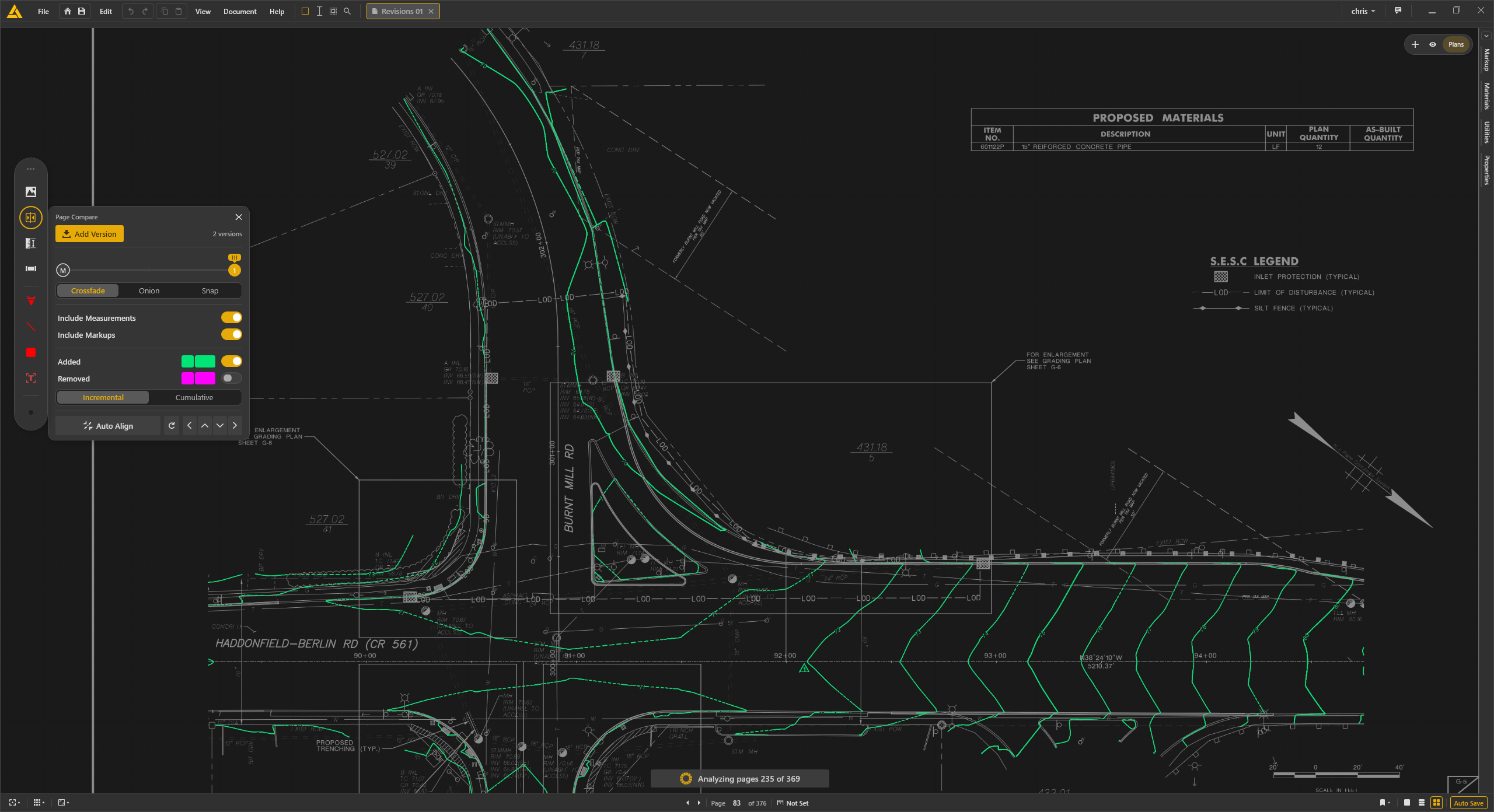
Yes. Overlay the two versions with crossfade or onion-skin, and added or removed content is highlighted automatically.
Yes — OCR text search finds any note, callout, or detail across every sheet in the set, including scanned plans.
Yes. Export a flattened, annotated PDF that opens in any PDF viewer, no Intuitive install required.
Yes. Stroke, fill, and font color are independent per markup, with adjustable thickness and opacity.
Download the trial and run a live project end to end. Full access for 30 days.